Practical guide 5 min read
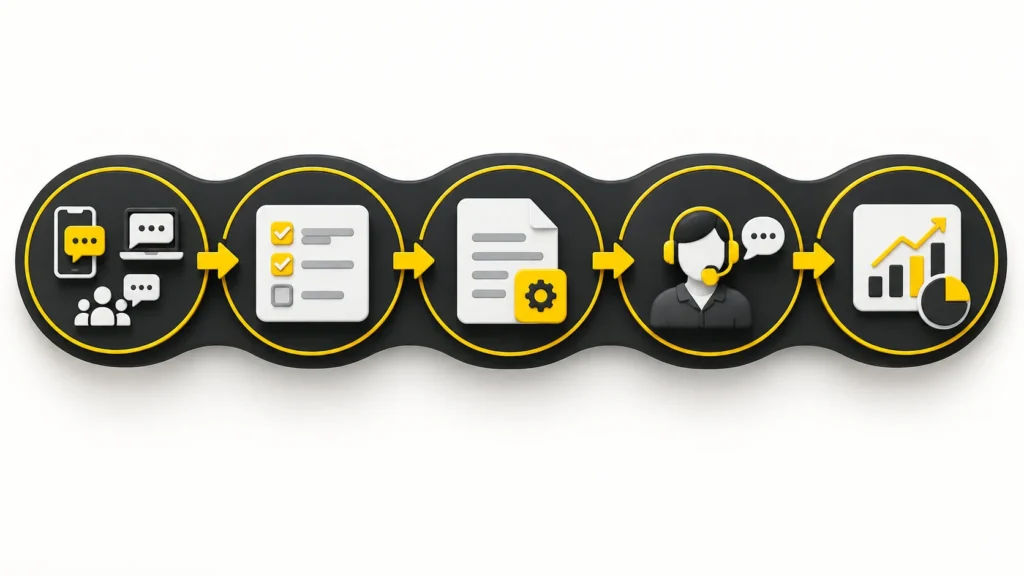
WhatsApp automation works best when the business rules are clear before any software is connected. This checklist helps a small business document the information, decisions and human handoff points needed for a controlled sales or customer-support workflow.
It is a planning guide, not a promise that every WhatsApp account can use every feature. Available functions depend on the business’s WhatsApp setup, Meta approval and the agreed implementation scope. For the service overview, see WhatsApp AI automation for sales and support.
1. Define the job before choosing automation
Start with one specific business problem. A vague goal such as “automate WhatsApp” does not tell the implementation team what the workflow should do or where it should stop.
- Which enquiries are repetitive enough to handle consistently?
- Is the primary job lead qualification, quotation preparation, support triage, follow-up or appointment collection?
- Which decisions must always stay with a person?
- What would count as a successful conversation for this workflow?
A practical first workflow is usually narrow. For example, it may collect a customer’s location, requirement, quantity and timeline, then give the sales team a structured summary. Extra use cases can be added after that flow is tested.
2. Map every approved enquiry source
List where customers currently begin conversations. That may include the website, a social media campaign, a Google Ads landing page or a direct WhatsApp link. The source matters because it can change the opening question and the context available to the team.
Record the exact links and campaign labels your business already uses. If website or campaign tracking is part of the plan, coordinate the workflow with the relevant website owner, social media process or Google Ads setup rather than creating disconnected reporting.
3. Write the minimum qualification questions
Questions should collect only what the team needs to take the next useful step. Too many questions can make a conversation feel like a long form; too few can leave staff with an unusable lead.
Common fields to consider
- Customer name and preferred language
- Location or service area
- Product or service required
- Quantity, size or other requirement details
- Preferred timeline
- Whether the customer needs a quotation or a staff call
Mark each field as required, optional or conditional. A question should appear only when its answer affects the next step.
4. Prepare one approved information source
The automation should answer from information supplied and approved by the business. Collect the current catalogue, service descriptions, service areas, taxes, prices, availability rules, discount limits and commercial terms in one controlled source.
Remove expired documents and conflicting price lists before implementation. If a value changes often, decide whether the workflow should display it, ask staff to confirm it or avoid quoting it automatically. The system should not invent prices, warranties or service coverage.
5. Separate routine replies from human decisions
Create two lists: what the workflow may handle and what it must escalate. Routine information can be automated only when the response is unambiguous and approved.
Examples of sensible handoff triggers
- A customer asks for an exceptional discount or different payment terms.
- Availability, delivery or service coverage is uncertain.
- The requirement does not match the configured product or service options.
- The customer asks for a person or expresses dissatisfaction.
- The conversation contains a sensitive request that needs judgement.
For each trigger, identify the staff member or team that receives it and what context they need. A useful handoff includes the customer’s answers and a short summary so the person does not have to repeat the same questions.
6. Plan languages and tone deliberately
If customers use more than one language, decide which languages the business can review and support. Prepare approved examples for greetings, qualification questions, clarification, quotation notes, delays and escalation.
Language support is not only translation. Product names, local terms and polite forms may vary. Review sample conversations with staff who understand the customers and the business context.
7. Document consent, templates and data handling
Outbound messages are subject to customer consent, Meta policies and template rules. Document how a customer opts in, which message types the business plans to send and when a conversation should stop.
Also identify the minimum data needed to operate the workflow, who may access it and how a customer can request help. Agal’s own processing approach is explained in the Privacy Policy; each client should also confirm the notices and retention rules appropriate for its business.
8. Test real conversation branches
A straight “happy path” is not enough. Before launch, test incomplete answers, spelling variations, unsupported requests, repeated messages, language changes, requests for a person and questions the approved information does not answer.
Use sample data during testing. Check that the workflow:
- asks only relevant follow-up questions;
- does not state unapproved prices or terms;
- makes uncertainty visible instead of guessing;
- hands the conversation to the correct person;
- preserves enough context for staff to continue; and
- does not send a live customer message during a demo or test unless that test is explicitly authorised.
9. Assign an owner for updates and review
A workflow can become inaccurate when products, prices, staff contacts or service areas change. Assign one business owner to approve updates and one operational contact to review escalations.
Agree on a simple review routine: sample conversations, unanswered questions, handoff reasons and outdated information. The purpose is to find where the approved knowledge or the conversation design needs improvement—not to remove human oversight.
Information to prepare before an implementation discussion
- The business’s WhatsApp number and current setup
- The single workflow to implement first
- Enquiry sources and sample customer messages
- Qualification questions and required fields
- Approved product, service and commercial information
- Languages and tone examples
- Human handoff triggers and responsible staff
- Consent, template and data-handling requirements
- Test scenarios and the person who approves launch
Next step
If these inputs are available, the implementation discussion can focus on the actual conversation flow instead of assumptions. Share the workflow you want to plan; Agal will confirm the scope and dependencies before work begins.
Related Blogs