Practical guide 6 min read
A printed business card is familiar, quick to hand over and useful when internet access is unavailable. A digital visiting card can hold more information, open on a phone and stay current when business details change. For many businesses, the best answer is not choosing one forever but assigning each format the right role.
This guide compares digital visiting cards and printed business cards from the customer’s point of view: how information is shared, saved, trusted and used after the first meeting.
Digital visiting card vs printed business card at a glance
| Area | Digital visiting card | Printed business card |
|---|---|---|
| Sharing | Link, QR code, WhatsApp, email or social profile | Physical handover |
| Updates | Information can be changed on the live page | Requires reprinting |
| Information capacity | Services, gallery, map, reviews, hours and actions | Limited by card size |
| Offline use | Opening the page normally needs connectivity | Works without a device or internet |
| Customer action | Tap to call, message, navigate or save contact | Customer manually enters or searches details |
| Physical impression | Depends on page design and mobile experience | Paper, finish and print quality create a tactile impression |
What a digital visiting card actually is
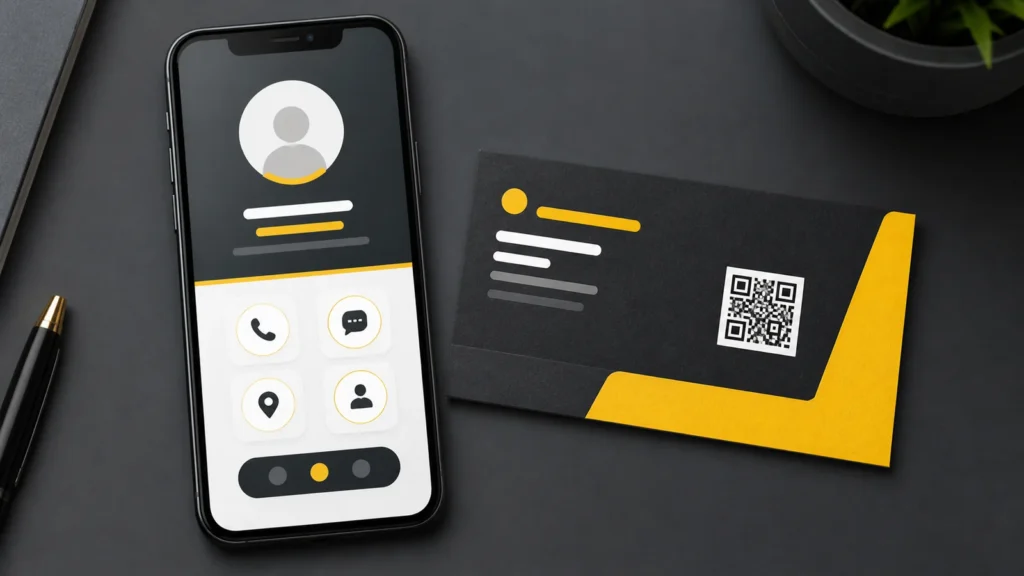
A digital visiting card is a mobile-friendly web page that presents business identity and contact actions in one link. Unlike a static image sent through WhatsApp, a proper page can include tap-to-call, WhatsApp, directions, service descriptions, business hours, a gallery, reviews and a save-contact action.
The content still needs planning. Our digital visiting card content and launch checklist explains which details to collect, verify and test before sharing the link publicly.
What printed cards still do well
Printed cards remain effective in face-to-face meetings, exhibitions, local networking and situations where opening a phone is inconvenient. A well-designed card is fast to hand over and can create a physical reminder of the conversation.
They also work without connectivity. That matters in crowded venues, weak-network areas or brief encounters where the recipient may not want to scan a code immediately.
Digital cards make follow-up easier
A printed card gives information; a digital card can provide direct actions. A customer can start a WhatsApp conversation, call, view directions, browse services or save contact details without typing them manually.
Reducing these small steps matters. A person who intends to contact the business later may lose the paper card or postpone entering the number. A saved link or contact action keeps the next step closer. If the next step needs automated replies, lead qualification, planned follow-ups or a clear human handoff, review the separate WhatsApp AI automation workflow; it is scoped independently from the digital visiting card plan.
Updates are the biggest operational difference
Phone numbers, addresses, business hours, services and offers can change. Printed stock becomes inaccurate until it is replaced. A digital page can be updated at the source so the same shared link shows current information.
This advantage depends on ownership and maintenance. Confirm who can edit the card, whether the link remains stable and what happens to the content if the provider relationship ends.
More information is useful only when it is organised
A digital card can include far more than a printed card, but adding everything without hierarchy makes the page harder to use. The first screen should communicate the business name, purpose and most important action. Supporting details can follow in logical sections.
Use concise service summaries, genuine photos and accurate trust signals. Avoid auto-playing media, large files and decorative sections that slow the page without helping a customer decide.
QR codes connect print and digital
A QR code can be printed on a traditional card, product packaging, reception desk, invoice, brochure or event display. Scanning it opens the digital visiting card, combining physical discovery with a live page.
The printed material should also show a readable URL or core phone number. A QR code should be tested on multiple phones, printed at a suitable size and given enough contrast and clear space.
Trust depends on the details
Both formats can look professional or untrustworthy. A digital card should use a recognisable domain, secure HTTPS, a consistent logo, readable typography and accurate business information. A printed card needs clean design, legible text and print quality appropriate to the brand.
Do not add fabricated reviews, client logos or certifications. Small businesses gain more from a clear description, genuine images and consistent contact details than from unsupported claims.
Privacy and measurement need care
A website-based card can measure page visits and button interactions when analytics is configured appropriately. This can show whether people use call, WhatsApp or direction actions, but it should not collect unnecessary personal information.
If the page contains a form, explain what the information is used for and keep fields limited to what is needed. Analytics and tracking should follow applicable privacy requirements and the site’s privacy policy.
Choose a digital visiting card when
- You share business details frequently through WhatsApp or social channels.
- Customers need quick call, message, direction or contact-saving actions.
- Services, photos, working hours or other details may change.
- You want one link that explains more than a small printed card can hold.
Choose printed cards when
- Face-to-face networking is a major source of contacts.
- Recipients may not want to use a phone during the meeting.
- Offline sharing and a physical brand impression are important.
- The printed card will carry only stable, essential information.
Use both when the customer journey crosses online and offline
A practical combination is a simple printed card with the business name, main contact details and QR code, connected to a richer digital page. The paper starts the interaction; the page helps the customer act and explore.
Keep the visual identity consistent and test every action before printing the QR code in quantity. You can see how the product works on the digital visiting card video demos.
Before choosing a digital card provider
- Confirm whether you control the content and can request updates.
- Check the domain, hosting and renewal arrangement.
- Test speed and all actions on common mobile devices.
- Ask whether the page can be indexed or kept private as needed.
- Verify what happens to the link if you stop the service.
- Review the exact features included rather than assuming every provider offers the same setup.
Review our Visiting Card Website for the current product details and live examples. Domain choices can be compared on the visiting card domain pricing page. For help choosing a setup, contact Agal Technologies.
Frequently asked questions
Can a digital visiting card replace a full business website?
It can provide a focused contact and introduction page, but a larger business may still need separate service pages, detailed content, search landing pages or ecommerce features.
Do customers need an app to open a digital visiting card?
A web-based digital card opens through a normal browser link or QR code, so an app should not be necessary.
Can I put a digital visiting card link on WhatsApp?
Yes. The link can be shared in a conversation, profile, email signature or social bio, subject to the platform’s available fields.
Related Blogs